Automotive ERP Platform
<!--
Work info
-->
Client:
Emotive
Role:
Product Designer
Year:
2024
Project Overview
Emotive Software set out to build a unified ERP platform, the operating system for auto dealerships and asset-based lenders. The product brings together CRM, Sales, Lending, Service, and Inventory into a single, scalable web application, replacing fragmented legacy tools with a consistent and efficient user experience.
Scope
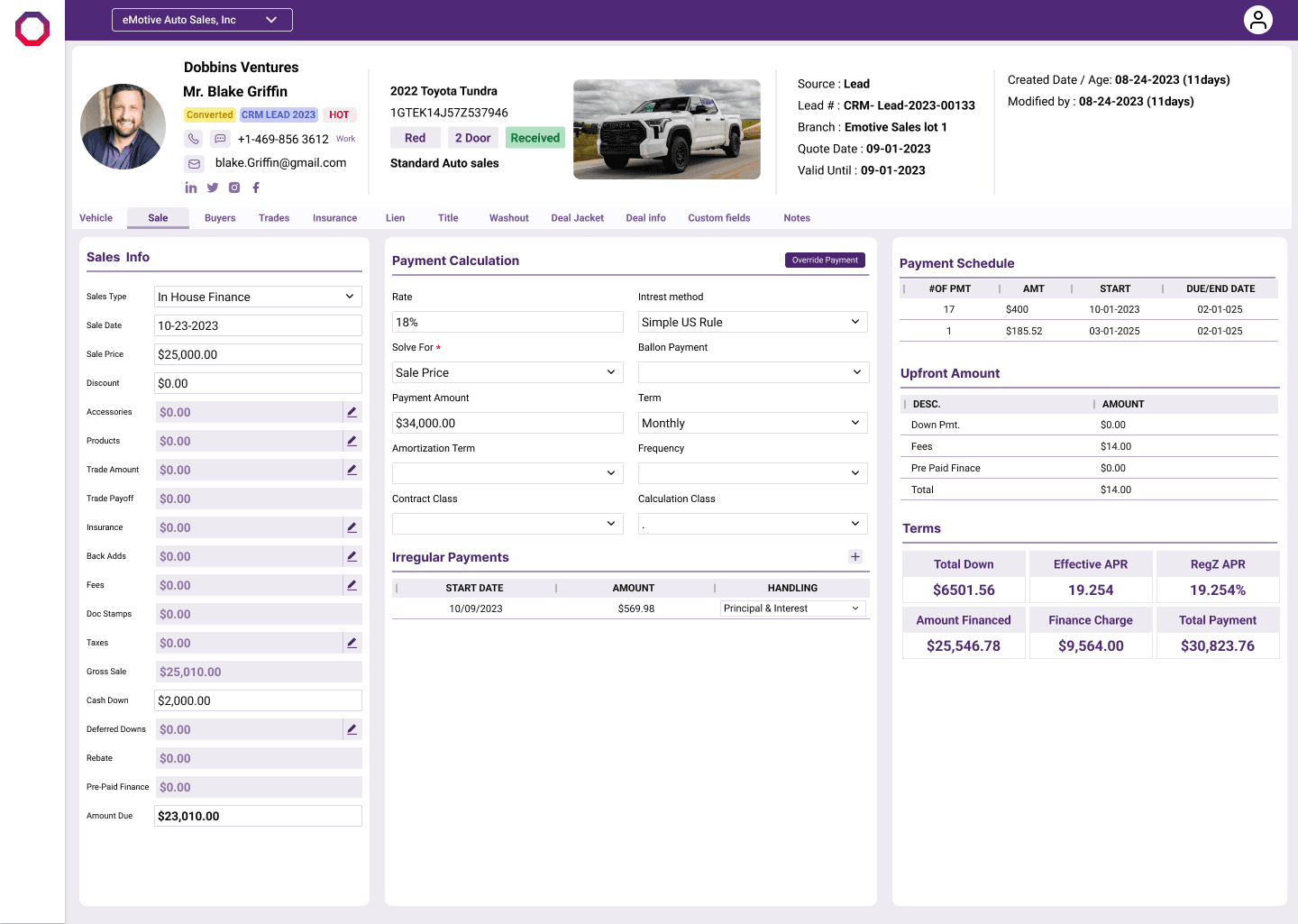
38-screen system across CRM, Sales, Lending, Service, and Inventory
Impact
25% reduction in task abandonment · 30% fewer unnecessary clicks
Discover
Understanding a workflow that was never designed as one system
Emotive Software's platform had grown the way most internal tools do, one department at a time. CRM was built first, then Sales, then Lending, then Service and Inventory, each shipped to solve an immediate need rather than a shared one. By the time I joined, dealership staff were operating five different mental models in a single shift.
Before designing anything, I needed to understand how people actually moved through their day, not how the org chart said they should.
Research Process
Stage 1: Stakeholder Interviews. Spoke with Emotive's product and ops stakeholders to understand why the platform grew the way it did, which departments were under the most pressure, and what a unified system needed to solve.
Stage 2: Client Walkthroughs Shadowed Sales Managers, Loan Officers, Service Advisors, and Branch/Admin Managers as they worked through real tasks, watching where they slowed down, backtracked, or switched tools mid-task.
Stage 3: End-Customer Perspective. Looked at the workflow from the customer's side of the desk, longer waits, repeated information, and delayed loan visibility caused by staff juggling disconnected tools.
Stage 4: Legacy Tool Audit Walked through the existing tool screen-by-screen with internal SMEs, mapping every point where a single task forced a user to jump between modules.
Who I Interviewed
Sales Managers (CRM & lead management)
Loan Officers (Lending & financial workflows)
Service Advisors (Service & repair orders)
Branch/Admin Managers (Inventory & cross-department oversight)
End customers, observed indirectly through staff workflows and feedback
What I found
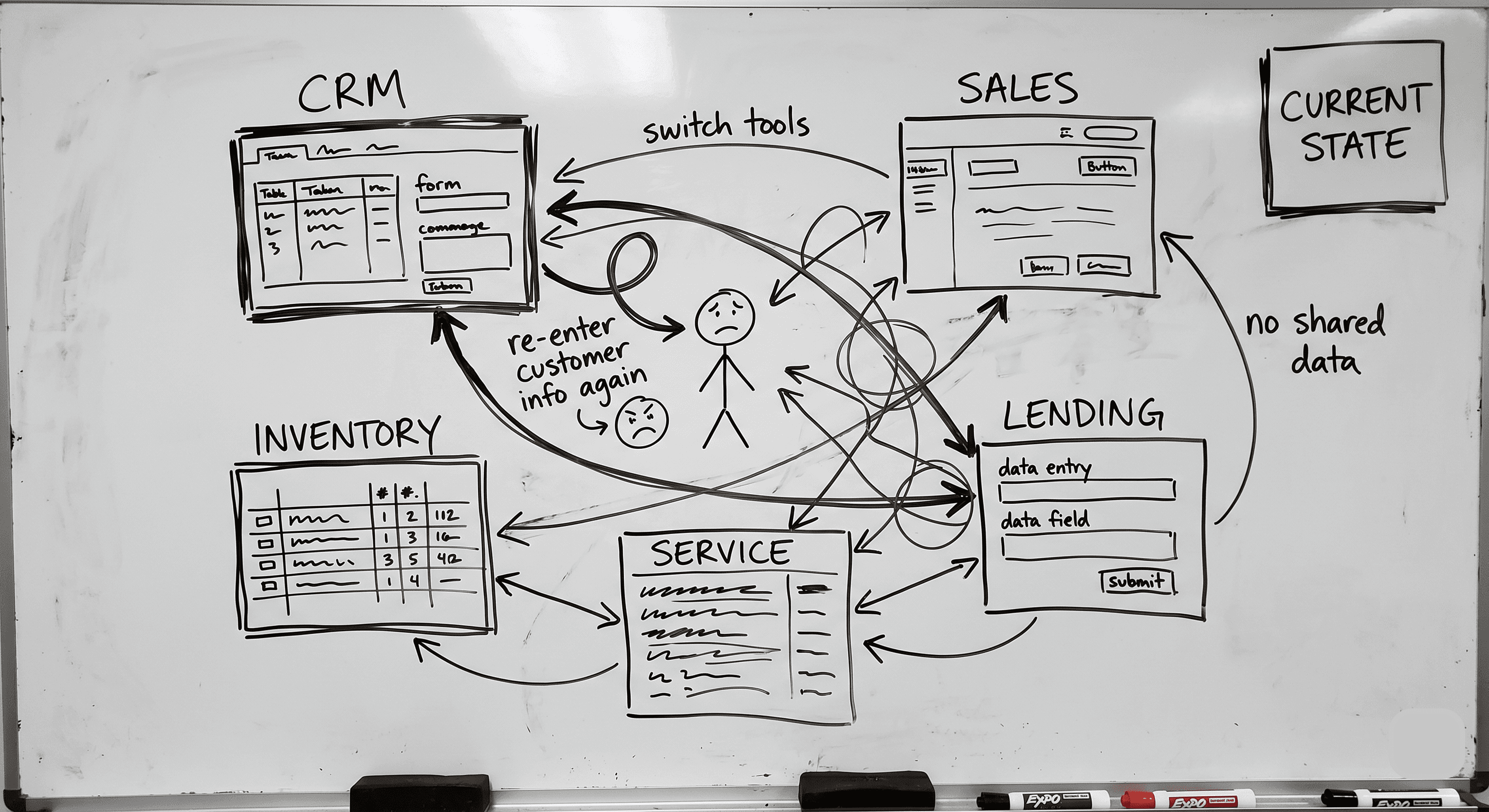
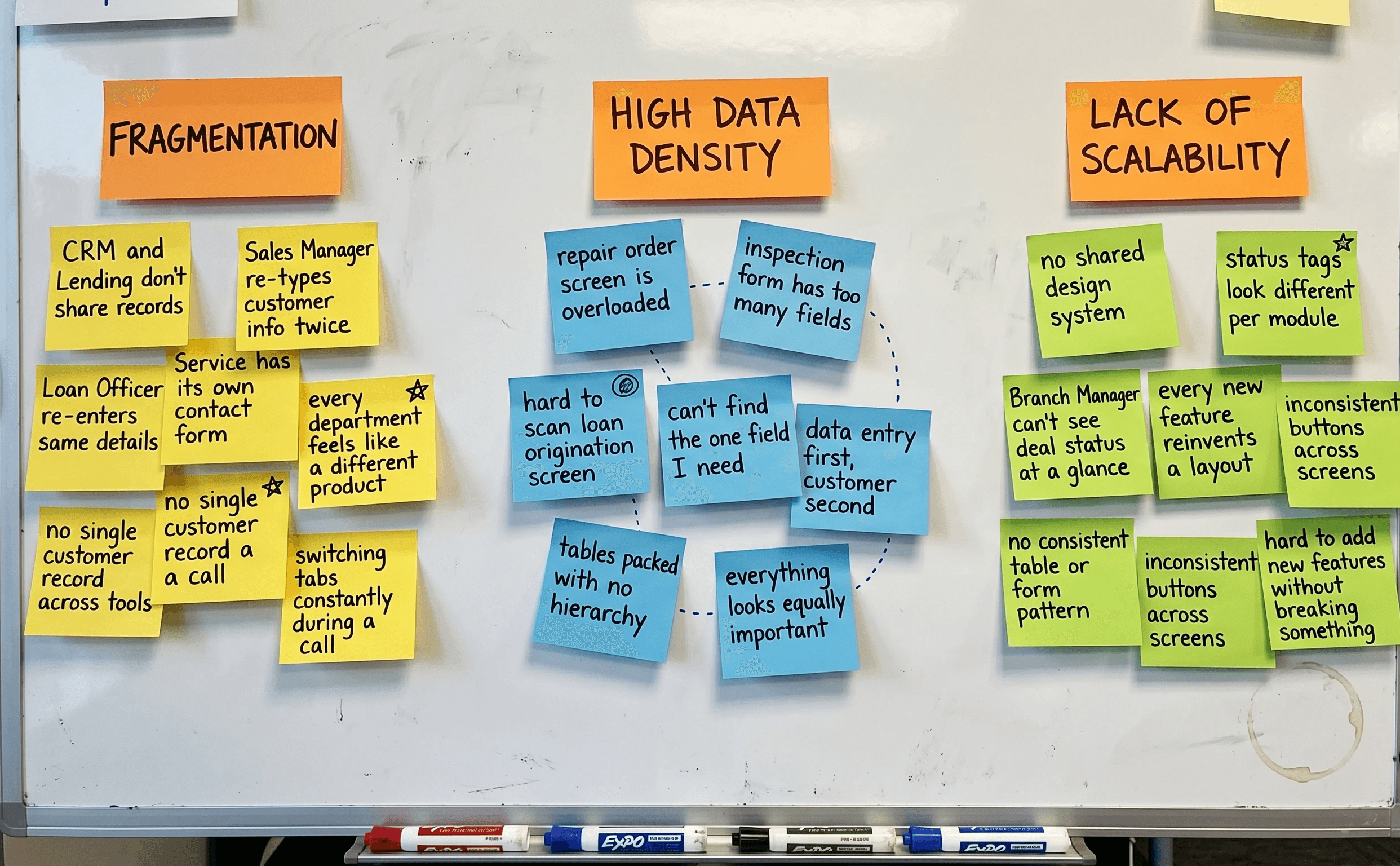
Fragmentation: Sales Managers and Loan Officers re-entered the same customer details separately in the CRM and Lending modules because the two modules didn't share a record.
High data density: Service Advisors called the repair order screens "data entry first, customer second," too much crammed in to find what they needed quickly.
Lack of scalability: Branch Managers lacked a consistent view of vehicle or loan status across departments, as each module displayed it differently.
Define
Naming the real problem before touching a single screen
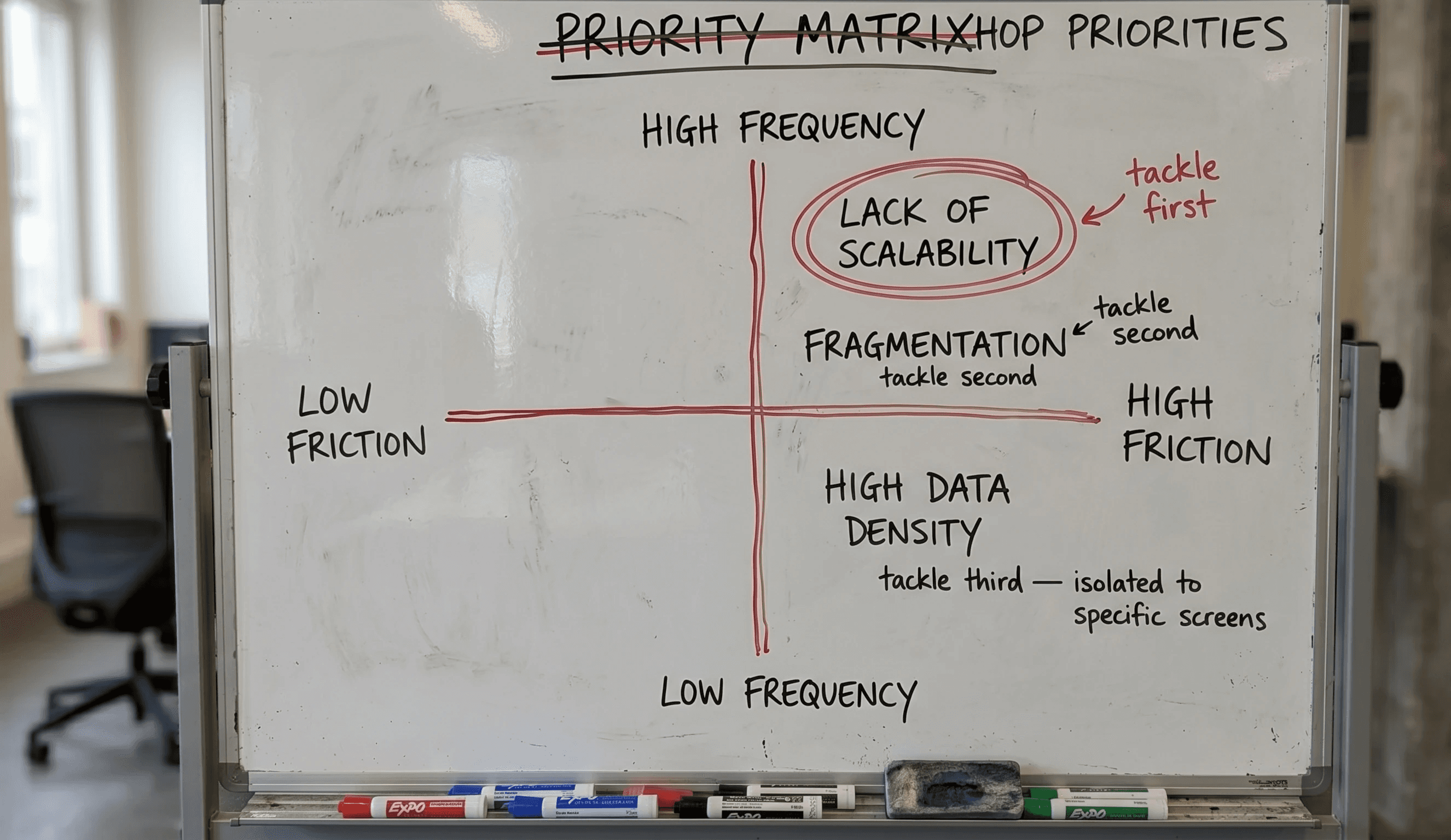
Three problems kept surfacing across every department:
Fragmentation: Sales, Finance, Service, and Admin behaved like four separate products with no shared visual or interaction language.
High data density: Loan origination, inspections, and quality control required heavy data entry within cluttered, inconsistent layouts.
No scalability: There was no shared system for tables, forms, or statuses, which meant every new feature meant reinventing a pattern from scratch.
Design goal: Build a modular, ERP-ready system that lets a single user move between configuring cost codes, managing repair orders, or qualifying a lead without relearning the interface each time.
KPIs: what success looked like going in:
Reduce repeated data entry across modules
Establish one shared design system usable across all five departments
Reduce time-to-complete high-frequency tasks (e.g., repair orders, lead-to-loan handoff) by cutting unnecessary clicks and screen-switching
Develop
Building the system before building the screens
Information Architecture
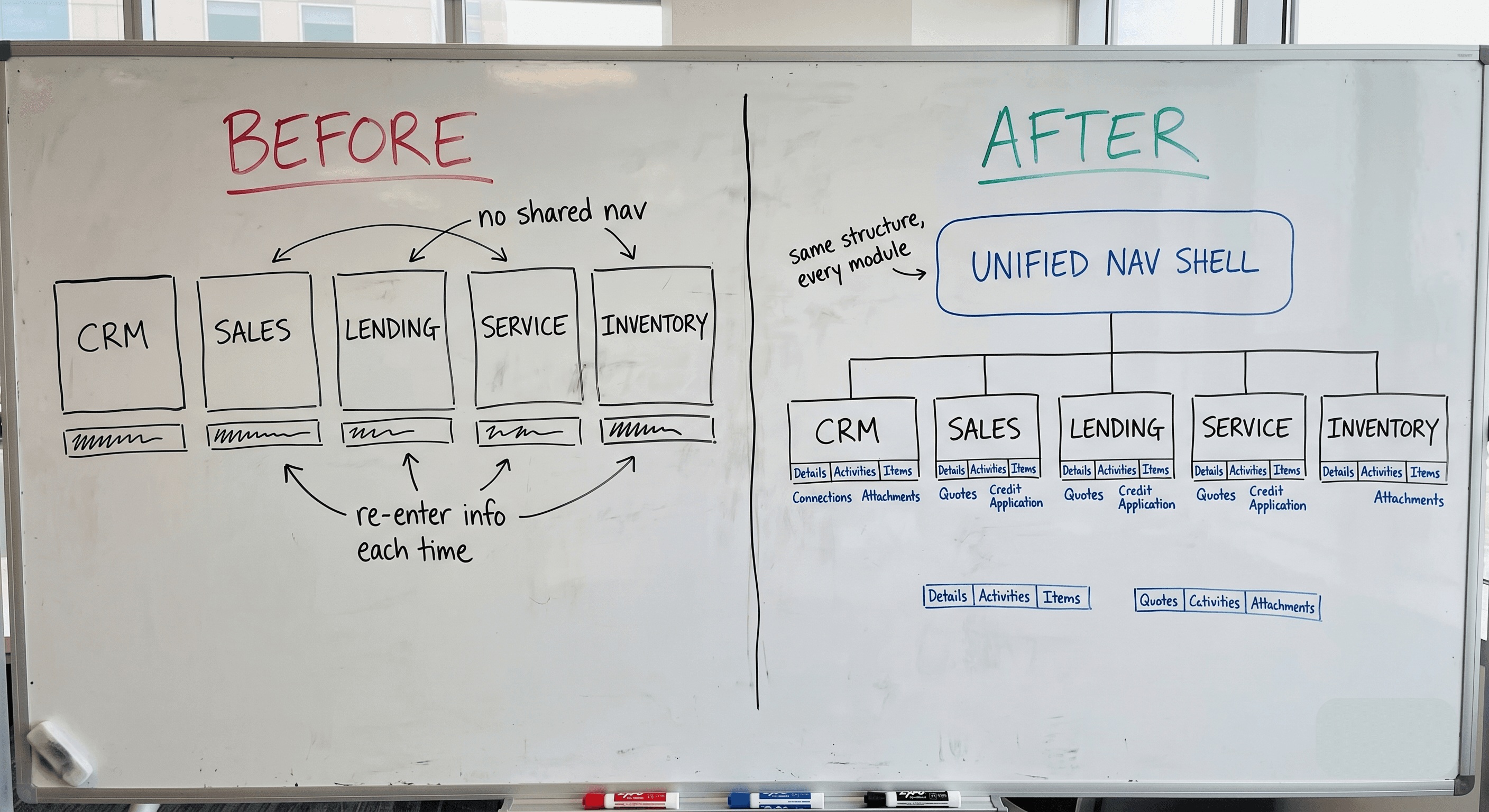
The legacy IA mirrored the org chart rather than the workflow, with five separate top-level tools, each with its own nav, search, and terminology, so a single deal required navigating five distinct mental models. I restructured navigation around the task rather than the department: one shared nav shell with CRM, Sales, Lending, Service, and Inventory as consistent sections, rather than five disconnected products.
Design System Build
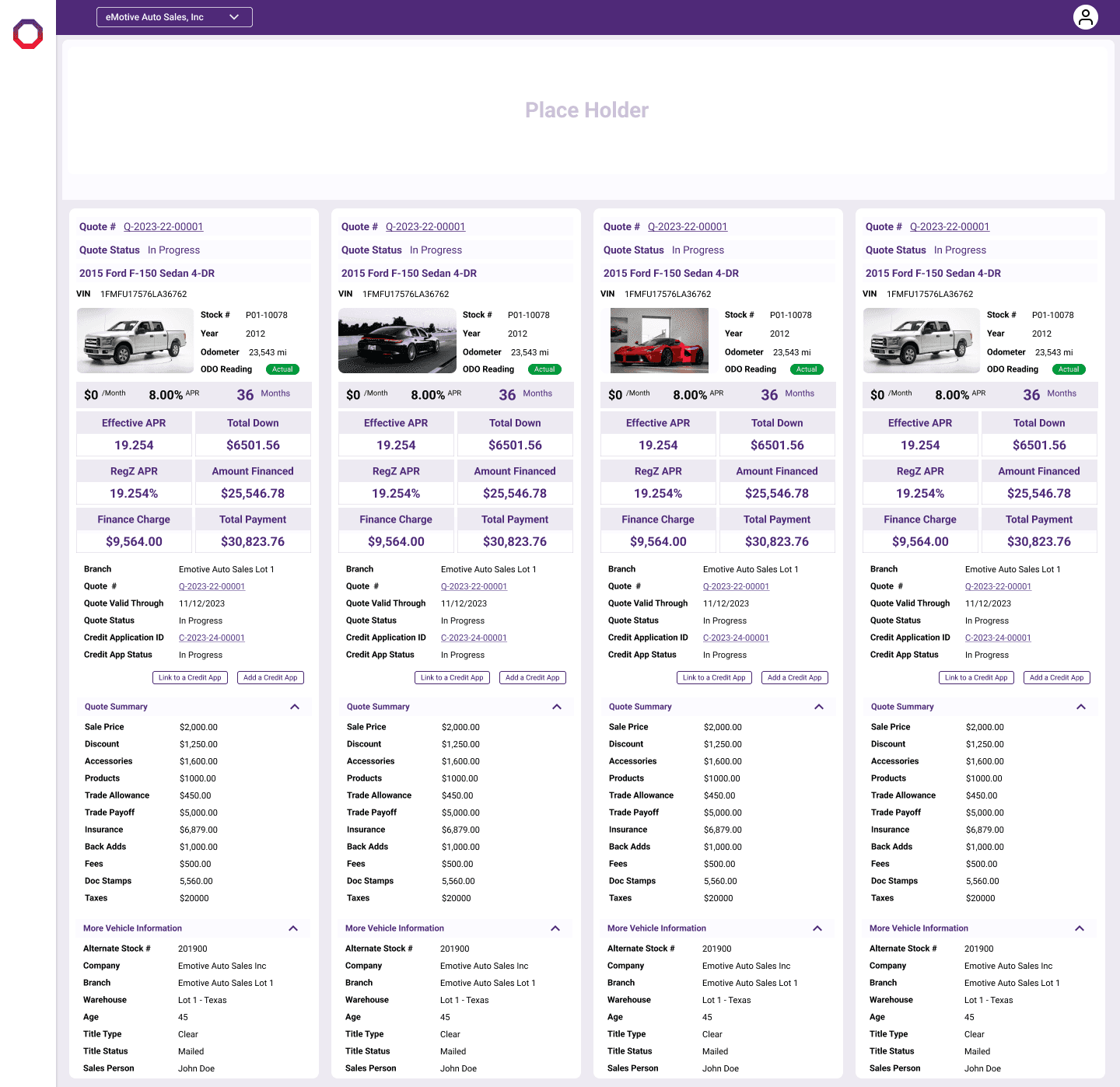
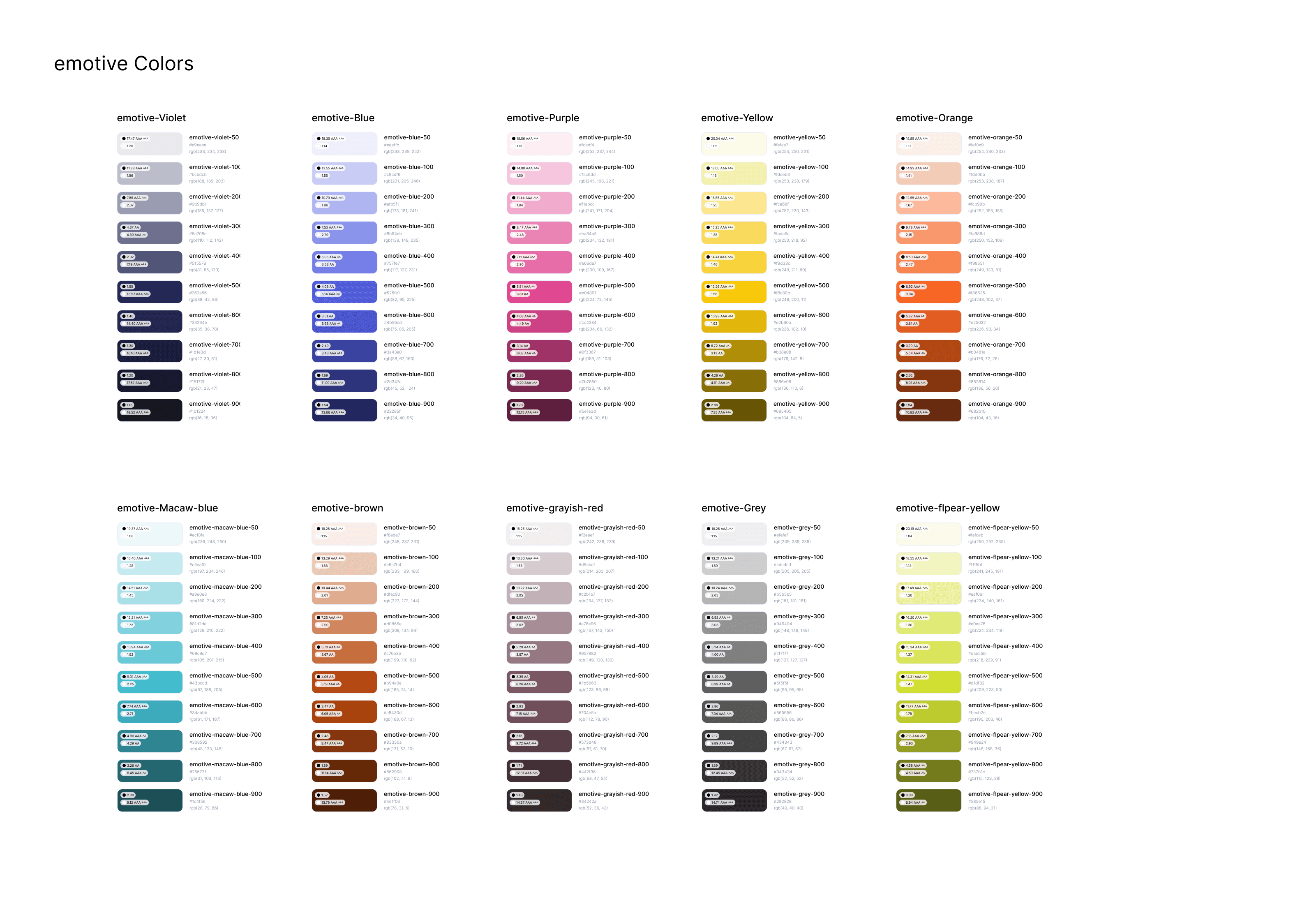
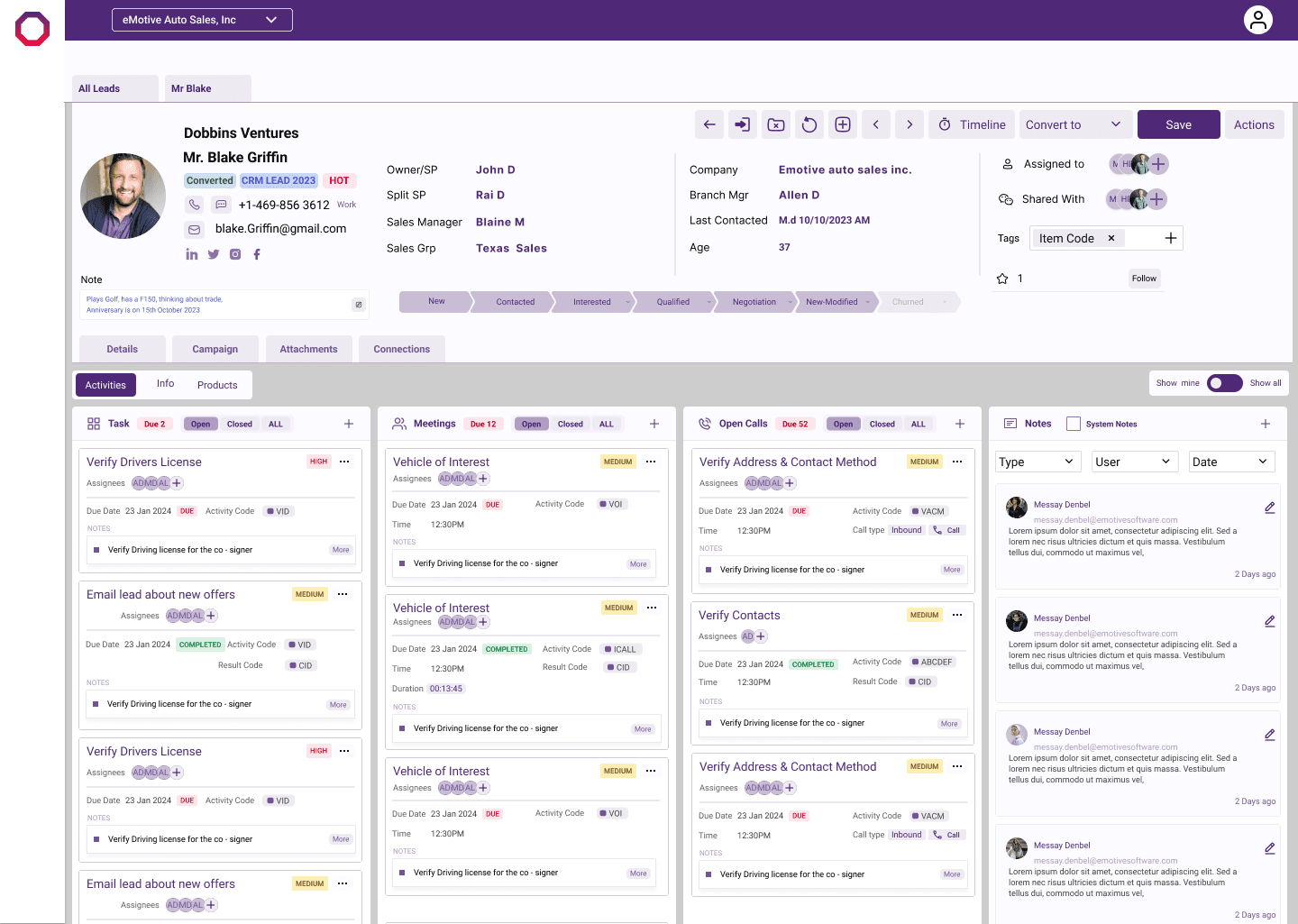
Rather than designing each module's tables, forms, and statuses individually, I built a shared component library first, covering data tables, status tags, form patterns, and modal structures, so that every new screen inherited consistency rather than reinventing it.
The status-tag system was the clearest win: previously, each module showed deal/loan/repair status in its own colors and labels, so a Branch Manager had to relearn what "active" meant five times over. One shared tag component, used consistently across all five modules, fixed that in a single pass.

Iteration
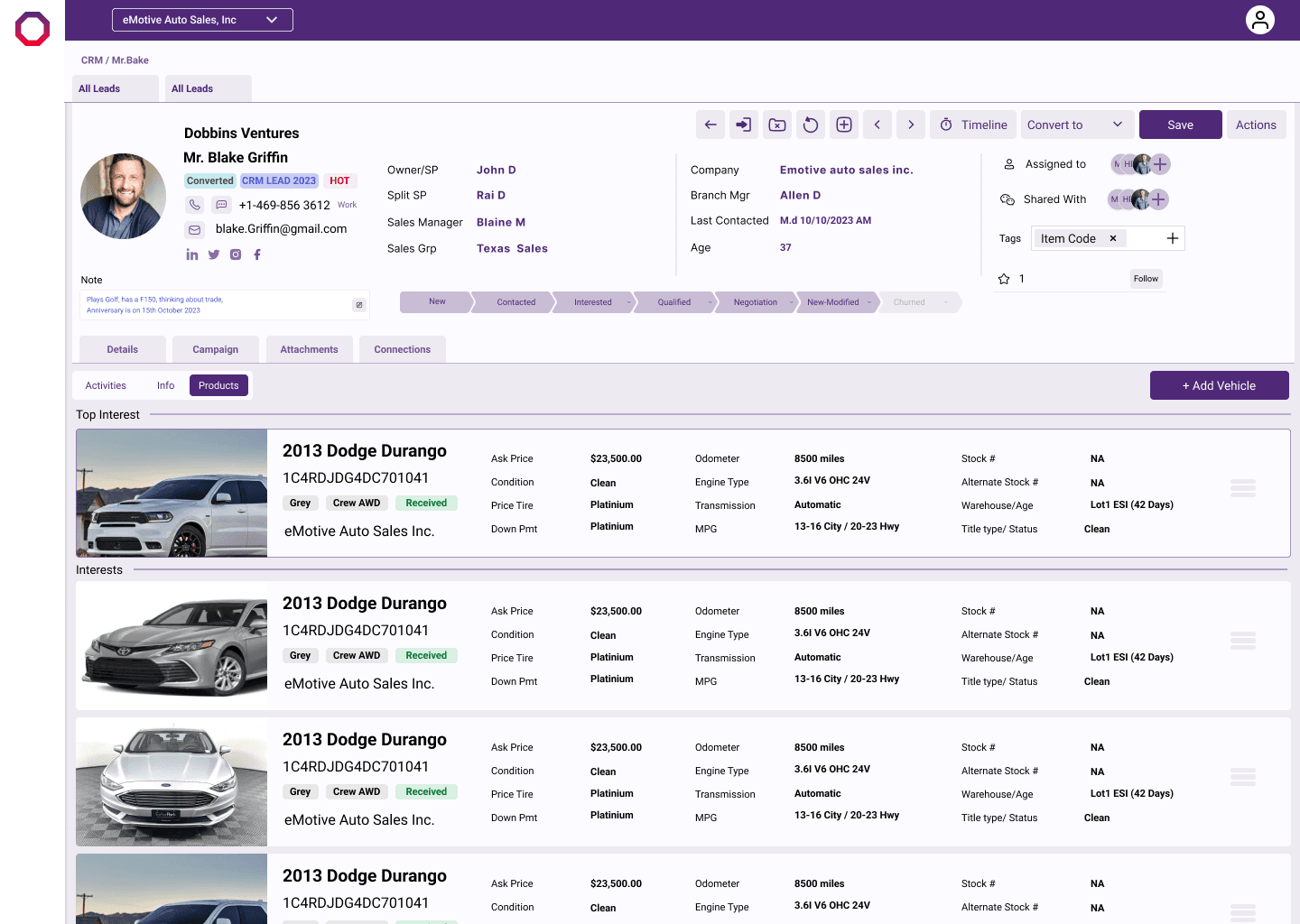
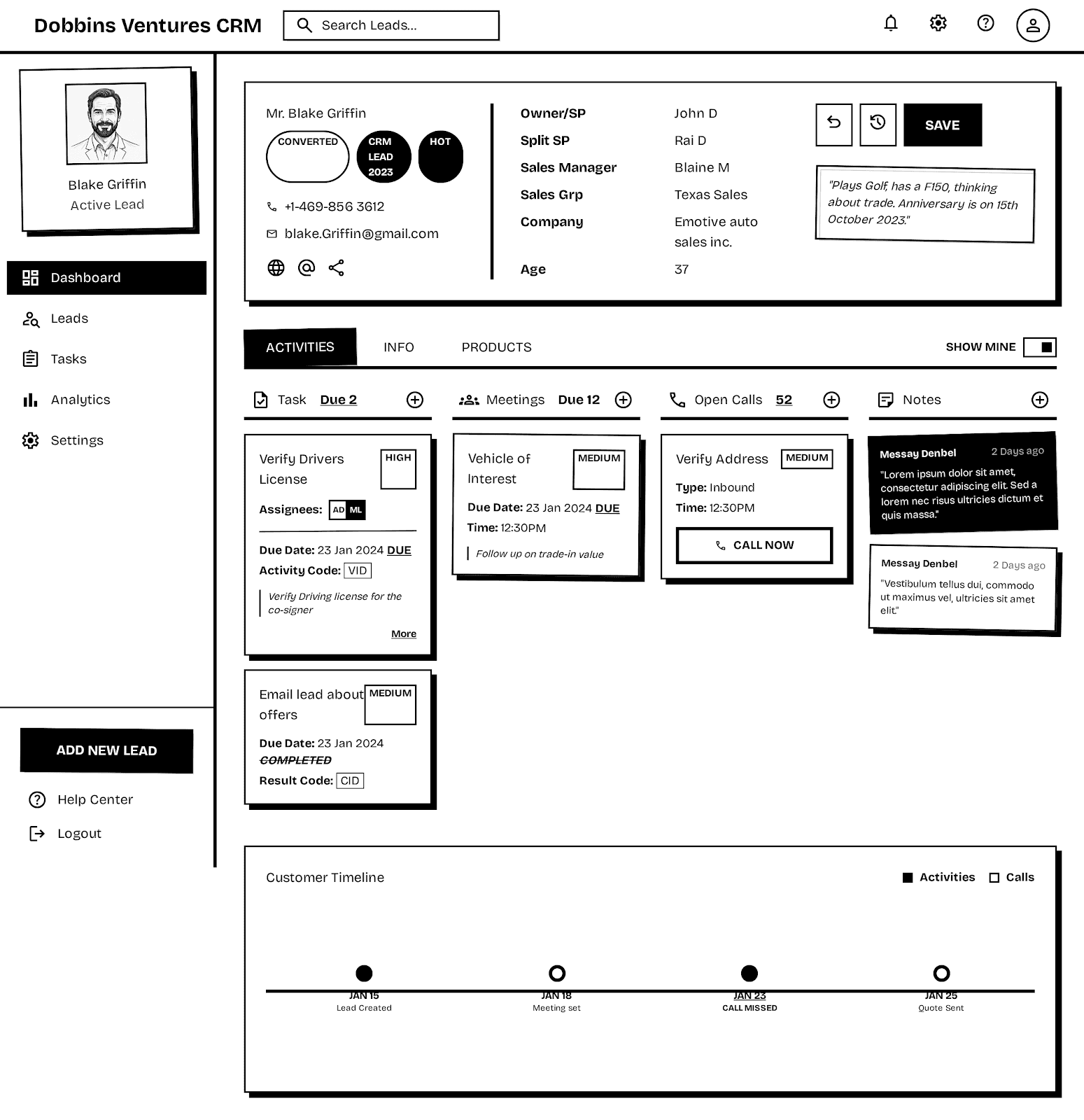
The lead detail screen went through the most rework. The first pass kept all customer, vehicle, and financing data on one dense scroll. Internal stakeholder review flagged that Sales Managers couldn't find the financing status without scrolling past everything else. v2 split it into a tabbed layout: Overview, Financing, Activity, so each role could land on the section relevant to them without sifting through the rest.
Deliver
Key Features
Unified ERP navigation & information architecture
Data-dense, scannable interfaces
Modular design system for scalability
Loan origination & financial workflows
Service, repair order & admin configuration flows
Results
38-screen system shipped across CRM, Sales, Lending, Service, and Inventory
25% reduction in task abandonment
30% reduction in unnecessary clicks
One shared component library (status tags, tables, forms, modals) reused across all five modules, replacing five inconsistent ones
Consistent navigation and tab structure across every module, removing the need to relearn the interface from department to department
Reflection
Designing for five departments at once taught me that consistency isn't a visual decision, it's a structural one. The moment I built the status-tag and table components first, every downstream screen got easier and faster to design. If I did this again, I'd build that shared system even earlier, before touching a single department's screens, instead of discovering the need for it midway through.